This portfolio
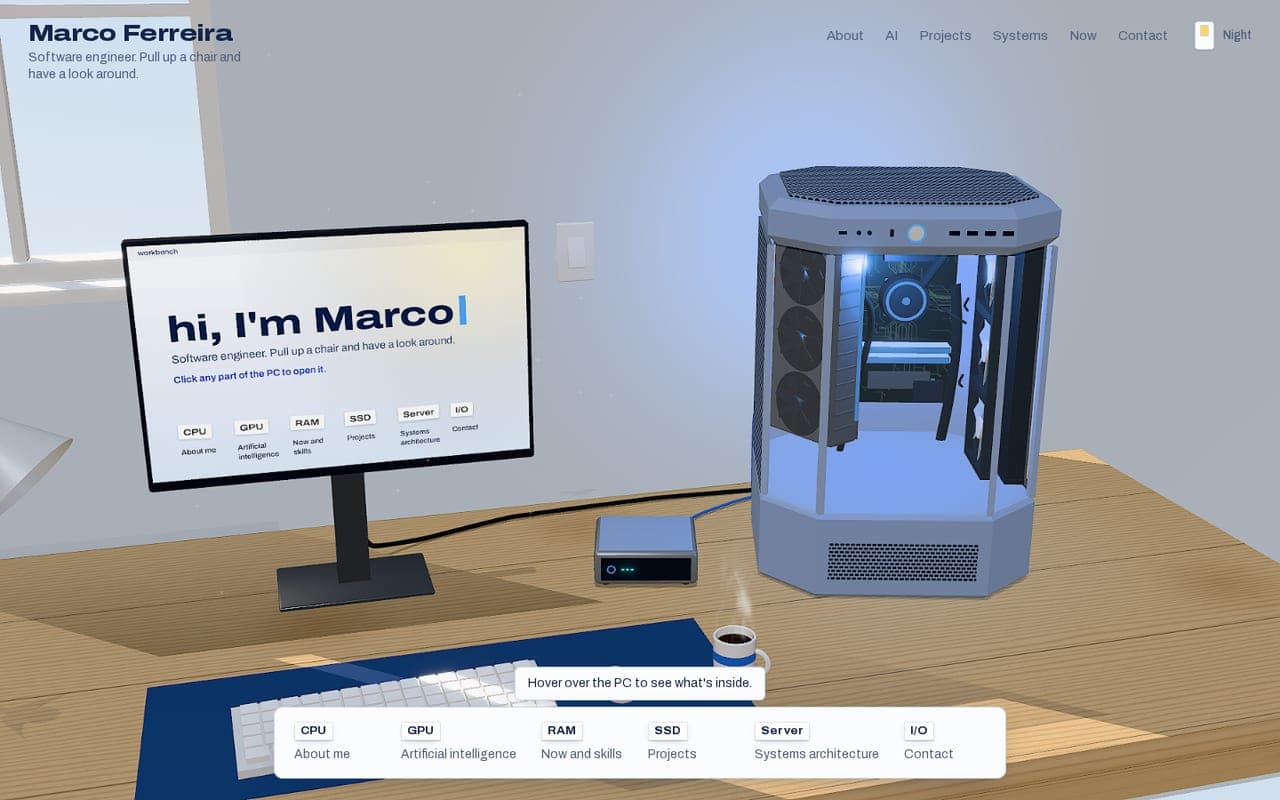
The site you're on: a 3D desk with my PC, where every part opens a section on the monitor.
The whole desk is built in code with React Three Fiber, with no 3D model files at all. The case is modelled on my own Thermaltake build, and its textures are drawn on canvases at load time: the wood grain, the circuit-board traces, the perforated panels and the monitor's idle screen. A light switch flips the room between day and night.
Clicking a part sends the camera gliding to the monitor with GSAP, and the section opens as a window laid exactly over the screen. The window follows the screen with CSS transforms rather than re-laying out its text, so it stays sharp while the camera moves, and full screen zooms the camera in until the monitor fills the view.
Every 3D interaction has a plain DOM equivalent (the dock, the header, deep links like ?part=ram), the canvas is hidden from screen readers, and reduced motion jumps straight to the final state. The scene loads separately from the page, lowers its resolution on slower devices, and stops redrawing while full view covers it.
Highlights
- No model files: every object and texture is generated in code.
- Content lives in typed data files, checked by tests for broken links, valid diagrams and that no phone number ever slips in.
- Unit tests with Vitest, and Playwright end-to-end tests that drive the site through the dock, the keyboard, phones and a no-WebGL browser.
Content
Typed data, checked by tests
3D scene
React Three Fiber, camera rig
Shared state
zustand: selection, screen position, theme
Page
Window, dock, header
Visitor
Clicks, keys, links
- Content to 3D scene
- Content to Page
- 3D scene and Shared state
- Shared state and Page
- Visitor to 3D scene: click a part
- Visitor to Page: dock, keys
See it work
The desk, as you first see it
What happens when you click a part
| Step | What it does | Time |
|---|---|---|
| Hover | The part lights up and its label appears | 0.15 s |
| Click | The camera glides to the monitor | 0.9 s |
| Open | The window switches on from a thin line, like a screen | 0.45 s |
| Full screen | The camera moves in until the monitor fills the view | 0.7 s |
| Back | The window closes and the camera returns to the desk | 0.25 s and 0.9 s |
Timings from the site's motion tokens.
How the window rides along with the camera
function follow(layout: ScreenRect, live: ScreenRect | null): string {
  if (!live) return "";
  const dx = live.left - layout.left;
  const dy = live.top - layout.top;
  const sx = live.width / layout.width;
  const sy = live.height / layout.height;
  const still =
    Math.abs(dx) < 1 && Math.abs(dy) < 1 && Math.abs(sx - 1) < 0.004 && Math.abs(sy - 1) < 0.004;
  return still ? "" : `translate(${dx}px, ${dy}px) scale(${sx}, ${sy})`;
}
From ScreenWindow.tsx. The window keeps one layout and is moved and scaled onto wherever the screen is this frame. Near rest it drops the transform entirely, so text is never resampled.